A GPS tracker app is how you monitor your vehicle's location, receive alerts, and control features like engine shutdown. The best tracking apps provide real-time location updates, intuitive interfaces, and reliable notifications. A poor app makes even a good tracker frustrating to use.
This guide explains what features matter in GPS tracking apps and how to evaluate them before committing to a tracking provider.
How GPS Tracker Apps Work
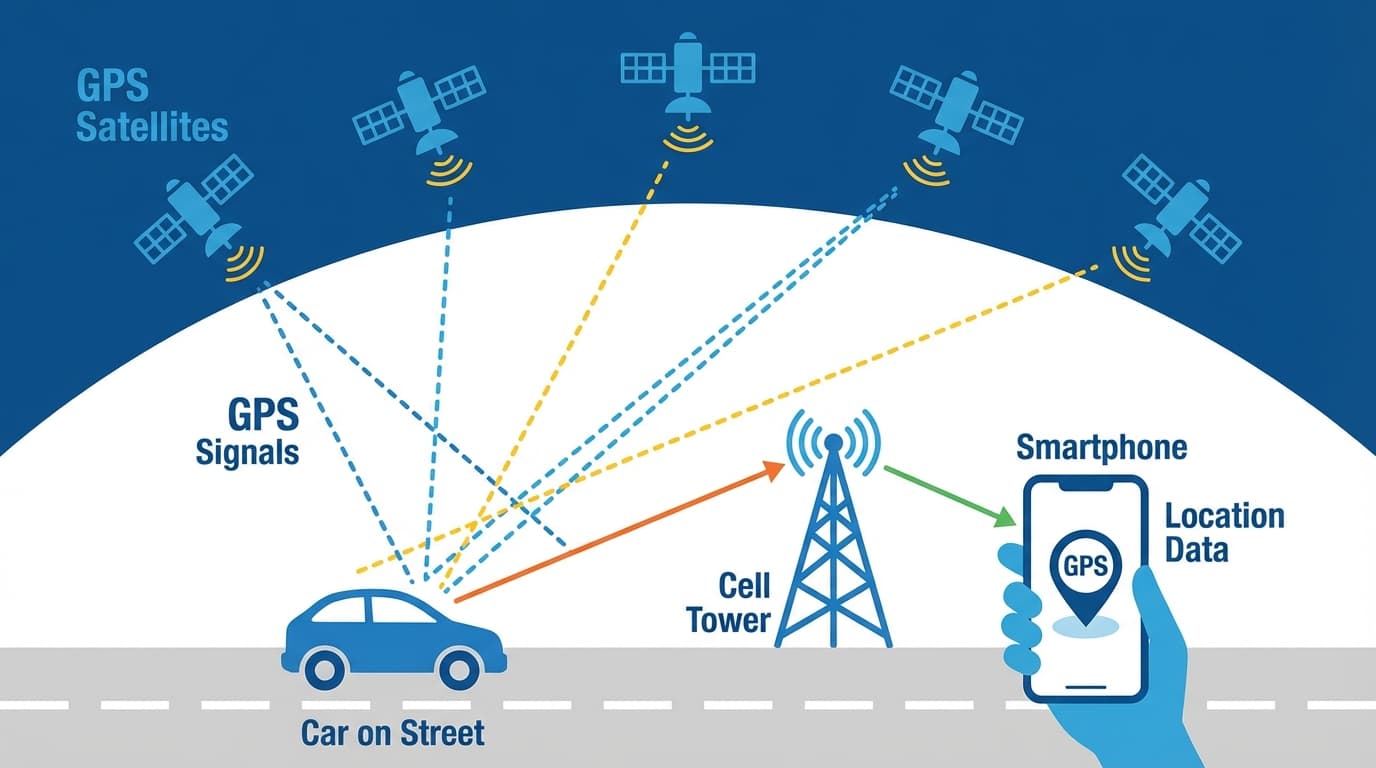
The Tracking Chain
Your vehicle tracking app is the final link in a chain:
- GPS tracker in your vehicle determines location using satellite signals
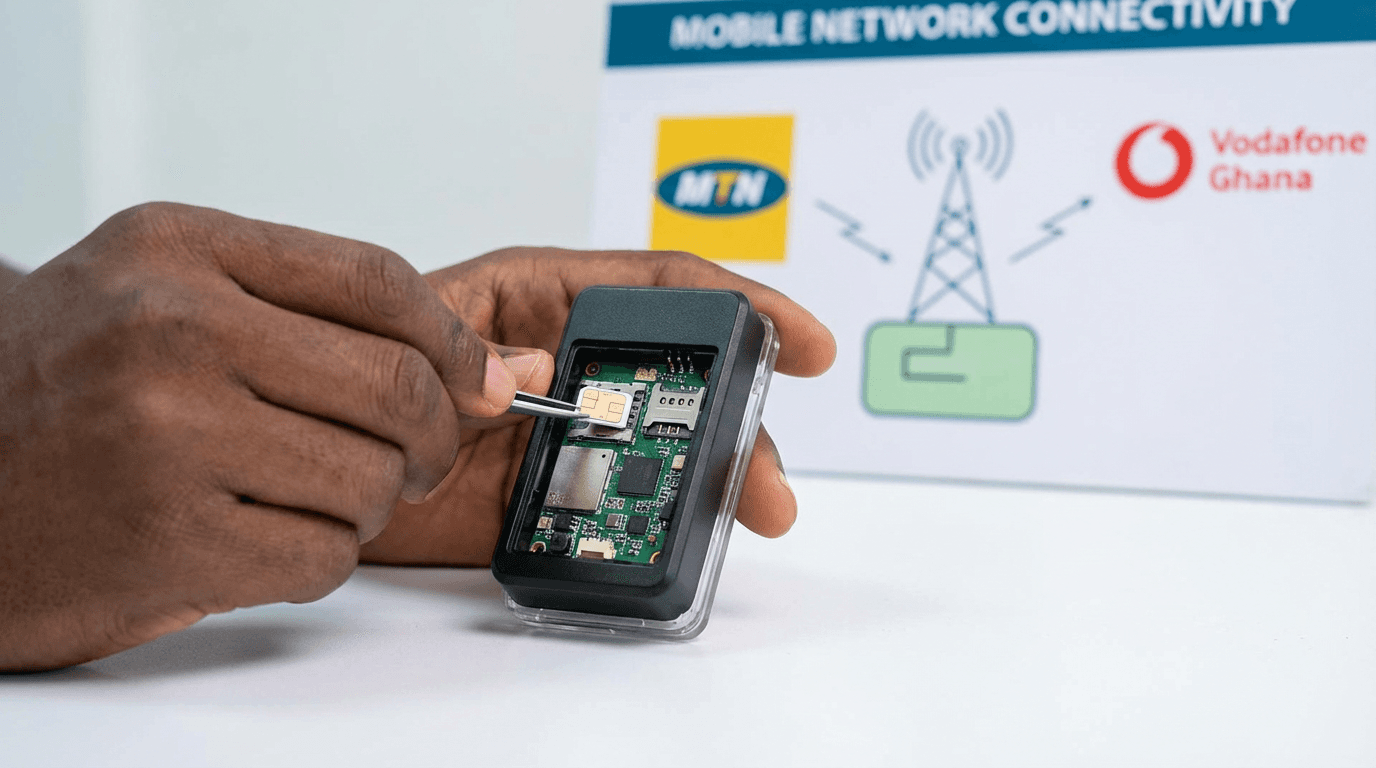
- Cellular network (MTN, Vodafone, AirtelTigo) transmits location data
- Cloud servers receive, process, and store the data
- Mobile app displays the information on your phone
The app itself doesn't track - it displays what the tracker reports. This means:
- App quality affects your experience, not tracking accuracy
- Server reliability matters as much as the app
- Both mobile app AND web dashboard should be evaluated
Real-Time vs Near-Real-Time
Real-time tracking means updates every 3-10 seconds when the vehicle is moving. This is essential for theft response.
Near-real-time means updates every 30-60 seconds - acceptable for fleet monitoring but inadequate for security.
Interval tracking (updates every 5-15 minutes) saves data costs but is useless for theft recovery.
Always confirm update frequency before purchasing.
Essential App Features
1. Real-Time Location Map
What it should show:
- Current vehicle position on a map
- Direction of travel (arrow or heading indicator)
- Current speed
- Ignition status (engine on/off)
- Last update timestamp
Map quality matters:
- Accurate street names for Ghana
- Satellite view option
- Smooth zooming and panning
- Works offline (at least for recently viewed areas)
Red flags:
- Map doesn't match actual roads
- Long delays before map loads
- Crashes when zooming
2. Alert Notifications
Essential alerts:
- Ignition on/off
- Speeding threshold exceeded
- Geofence entry/exit
- Tamper or power disconnection
- Low battery (if applicable)
How alerts should work:
- Push notification to your phone (instant)
- Option for SMS backup
- Email notifications for records
- Alert history log
What to verify:
- Can you customise which alerts you receive?
- Can you set quiet hours (no alerts at night)?
- Do alerts arrive within seconds of the event?
3. Geofencing
What geofencing does: Creates virtual boundaries on the map. Get alerted when your vehicle enters or leaves these zones.
Common uses in Ghana:
- Home zone (alert if vehicle leaves at night)
- Work zone (know when your driver arrives)
- No-go zones (alert if vehicle enters dangerous areas)
- City boundaries (alert for unexpected long trips)
Good geofence features:
- Draw custom shapes (not just circles)
- Multiple geofences (at least 5-10)
- Schedule-based activation (different rules for weekdays/weekends)
- Named zones for easy identification
4. Trip History and Playback
What you should see:
- Complete route taken (on map)
- Start and stop points
- Timestamps for the journey
- Distance travelled
- Maximum and average speed
- Idle time and duration
Playback feature: Animate the trip on the map to see exactly where your vehicle went. Essential for:
- Verifying driver routes
- Investigating incidents
- Understanding vehicle usage
History retention:
- Minimum 90 days recommended
- 180+ days for comprehensive records
- Ability to export or download reports
5. Remote Engine Control
If your tracker supports it:
- Remotely disable engine (prevents restart)
- Re-enable engine
- Clear confirmation of command sent and executed
Safety features:
- Engine only disables when vehicle is stationary
- Or cuts off when speed drops below 20 km/h
- Prevents dangerous sudden stops
What to verify:
- How long does the command take to execute?
- What confirmation do you receive?
- Is there a PIN or security step before disabling?
6. Reports and Analytics
Useful reports:
- Daily/weekly trip summaries
- Mileage reports
- Speed violation reports
- Geofence activity reports
- Idle time reports
Export options:
- PDF for records and insurance
- Excel/CSV for analysis
- Email scheduled reports
Mobile App vs Web Dashboard
Mobile App Advantages
- Always with you
- Instant push notifications
- Quick location checks
- Emergency response capability
- Biometric security (fingerprint/face)
Web Dashboard Advantages
- Larger screen for detailed analysis
- Better for reviewing long history
- Easier report generation
- Multiple vehicles view
- Administrative functions
Best providers offer both with synced data and consistent features.
Evaluating App Quality
Before You Buy
Ask the provider:
- Can I see a demo of the app?
- What's the update frequency?
- How many days of history are stored?
- Is there a web dashboard too?
- What happens if servers go down?
Check app store reviews:
- Look for recent reviews (last 3-6 months)
- Note common complaints
- Check star rating (4.0+ is reasonable)
- See if provider responds to issues
Red Flags to Avoid
Poor app signs:
- Last update over 12 months ago
- Rating below 3.5 stars
- Many complaints about crashes
- No response to user issues
- Android only (no iOS) or vice versa
- Poor English translation
- Generic white-label appearance
What Good Apps Look Like
Quality indicators:
- Clean, modern interface
- Ghana map accuracy
- Fast loading (under 3 seconds)
- Reliable notifications
- Regular updates
- Responsive support
- Both Android and iOS versions
- Positive recent reviews
Common App Problems and Solutions
"Location Not Updating"
Possible causes:
- Vehicle in area with no cellular signal
- Tracker power issue
- Server problem
- App needs refresh
What to do:
- Pull down to refresh
- Check last update timestamp
- Contact support if persists
"Not Receiving Alerts"
Possible causes:
- Notification permissions not granted
- Phone in Do Not Disturb mode
- Alert settings not configured
- Background app restrictions
What to do:
- Check phone notification settings
- Verify app permissions
- Review alert configuration in app
- Disable battery optimisation for the app
"Map Shows Wrong Location"
Possible causes:
- GPS drift (normal, minor inaccuracy)
- Tracker under metal/concrete (signal blocked)
- Cached location showing
What to do:
- Wait for next update
- Check if vehicle is in covered parking
- Report persistent issues to support
App Security Considerations
Protecting Your Account
Essential security:
- Strong unique password
- Enable biometric login (fingerprint/face)
- Don't share login credentials
- Log out on shared devices
What good apps provide:
- Two-factor authentication
- Session timeout
- Login notifications
- Activity log
Data Privacy
Your tracking data should be:
- Encrypted in transmission
- Stored securely on servers
- Accessible only to you
- Never sold to third parties
Ask providers:
- Where is data stored?
- Who can access my data?
- What's the data retention policy?
- How do I delete my data if I cancel?
Frequently Asked Questions
What app do GPS trackers use?
Each GPS tracking provider has their own mobile app. When you purchase a tracker, you'll download the provider's specific app and log in with credentials they provide. There's no universal GPS tracker app - you use the one that matches your tracker and service.
Are GPS tracker apps free?
The app itself is free to download, but it only works with an active tracking subscription. The app is part of the service you pay for. Without a subscription, the app won't show any data.
Can I track my car from my phone?
Yes, with a GPS tracker installed and active subscription, you can track your vehicle in real-time from your smartphone anywhere you have internet access. The tracking app shows live location on a map.
How accurate are GPS tracker apps?
GPS accuracy is typically 3-10 metres in open areas. The app displays what the tracker reports, so accuracy depends on GPS signal quality. In urban areas like Accra, accuracy is usually excellent. Inside parking structures or under heavy cover, accuracy decreases.
Can multiple people use one GPS tracker app?
Most providers allow multiple users on one account or multiple logins for the same vehicle. Useful for families (both spouses track family car) or businesses (driver and manager access). Check with your provider about multi-user options.
Do GPS tracker apps work without internet?
No. The app needs internet access to receive data from the tracking servers. However, the tracker continues recording location even when your phone is offline - you'll see the history when you reconnect.
Conclusion
Your GPS tracker app is your daily interface with vehicle tracking. Essential features include:
- Real-time location with accurate maps
- Instant alerts for important events
- Geofencing for automated monitoring
- Trip history for reviewing past journeys
- Remote control for engine disable (if supported)
Before choosing a tracking provider, test their app or request a demo. A tracker with great hardware but a poor app will frustrate you daily. Look for modern design, fast performance, reliable notifications, and positive user reviews.
Experience Our Tracking App
AcesTrack provides a modern, user-friendly tracking app with real-time updates, instant notifications, and full trip history. Available for both Android and iOS with a complementary web dashboard.
Contact us for a demo of our tracking platform before you decide.