GPS tracker for Yango fleet owners in Ghana is one of the fastest-growing search terms we see from ride-sharing fleet operators - and for good reason.
Yango has expanded aggressively across Accra, Kumasi, and Takoradi since launching in Ghana, and fleet owners who supply vehicles to Yango drivers are facing the same structural problem that plagued early Bolt and Uber fleet operators: you own the asset, but you have almost no visibility over what happens to it between trips. GPS tracking closes that gap completely.
The Economics of a Yango Fleet in Ghana
Understanding why GPS tracking pays for itself starts with understanding what your fleet actually costs.
A typical Yango-eligible vehicle in Accra - a Toyota Corolla, Hyundai Accent, or Kia Cerato - is worth GH₵80,000-GH₵160,000 depending on year and condition. Your monthly running costs per vehicle typically look like this:
| Cost Item | Monthly Estimate |
|---|---|
| Fuel | GH₵2,500-GH₵4,200 |
| Maintenance (tyres, brakes, oil) | GH₵500-GH₵1,200 |
| Insurance | GH₵300-GH₵700 |
| Yango platform commission (approx. 15-20%) | Variable by trip volume |
| Driver commission or shift arrangement | GH₵1,500-GH₵3,500 |
With a 5-vehicle Yango fleet, you are managing GH₵25,000-GH₵50,000 in monthly operating costs. A 15% reduction in fuel waste across 5 vehicles saves you GH₵1,875-GH₵3,150 per month - more than enough to cover GPS tracking for the entire fleet with money left over.
The 4 Core Problems Yango Fleet Owners Face in Ghana
1. Unauthorized Vehicle Use After Hours
Yango trips in Accra typically run from 6am to midnight. What happens to your vehicle from midnight to 6am?
Without GPS tracking, you have no way to know. Many fleet owners in Accra and Kumasi discover after months - through fuel receipts and premature tyre wear - that drivers are using fleet vehicles for personal transport at night. Common patterns we see:
- Running informal "dropping" services for cash in Spintex, East Legon, and Tema
- Airport pickups on Liberation Road and the N1 without authorization
- Personal trips to home regions - Kumasi, Takoradi, Cape Coast - on weekends
- Subletting the vehicle to a second driver without the fleet owner's knowledge
These activities add 600-1,800 extra kilometres per month, burn GH₵900-GH₵2,500 in unauthorized fuel, and accelerate your maintenance cycle by months. Per vehicle.
2. Reckless Driving That Destroys Your Vehicles
Yango's passenger rating system tells you whether riders liked the driver. It does not tell you how the driver is treating your engine, gearbox, and brakes.
A driver with a 4.9-star Yango rating can still be:
- Hard-accelerating from every traffic stop on Liberation Road and the Accra-Kumasi motorway
- Braking aggressively through the Airport residential area and Cantonments
- Mounting kerbs at speed in tight streets around Osu and Labone
- Speeding on the Spintex Road dual carriageway late at night
The result: brake pads that should last 12 months wear out in 3. Oil changes that should happen every 5,000 km are needed at 3,000 km. A vehicle that should run trouble-free for 2 years is in the workshop every 6 weeks.
GPS driver behavior scoring identifies your worst offenders by data - not by instinct - before the workshop bill arrives.
3. Accidents Without Accountability
The 6am phone call no fleet owner wants: "The car has a problem, I don't know what happened."
A dented quarter panel. A cracked bumper. A driver who cannot explain when, where, or how. No independent witnesses. In Ghana's informal transport culture, accountability for vehicle damage is genuinely difficult to enforce without evidence.
GPS trip history changes this. You can replay the exact route the vehicle took, the speed at every point, whether there was a sudden deceleration event consistent with impact, and exactly where the vehicle stopped afterwards. This data is the difference between a successful insurance claim and absorbing the repair cost yourself.
4. Theft and Border Crossings
Ride-hailing vehicles are a high-value target in Ghana. A driver can claim carjacking. A vehicle can be sold to a buyer in Aflao or driven across the Togo border before you even realize it is missing.
Without GPS, your recovery options are limited to reporting to police and hoping. With GPS tracking and remote engine immobilization, you can see the vehicle moving in real time, share the live location with authorities, and cut the engine remotely when the vehicle stops - before it crosses any border.
AcesTrack customers have recovered vehicles that had already reached the outskirts of Aflao and Hamile. Without live GPS, those vehicles would have been gone.
How GPS Tracking Solves Each Problem
AcesTrack installs a discreet, tamper-resistant GPS device in each vehicle. It connects to Ghana's MTN and Vodafone networks and reports location every 10-30 seconds. Here is what you get:
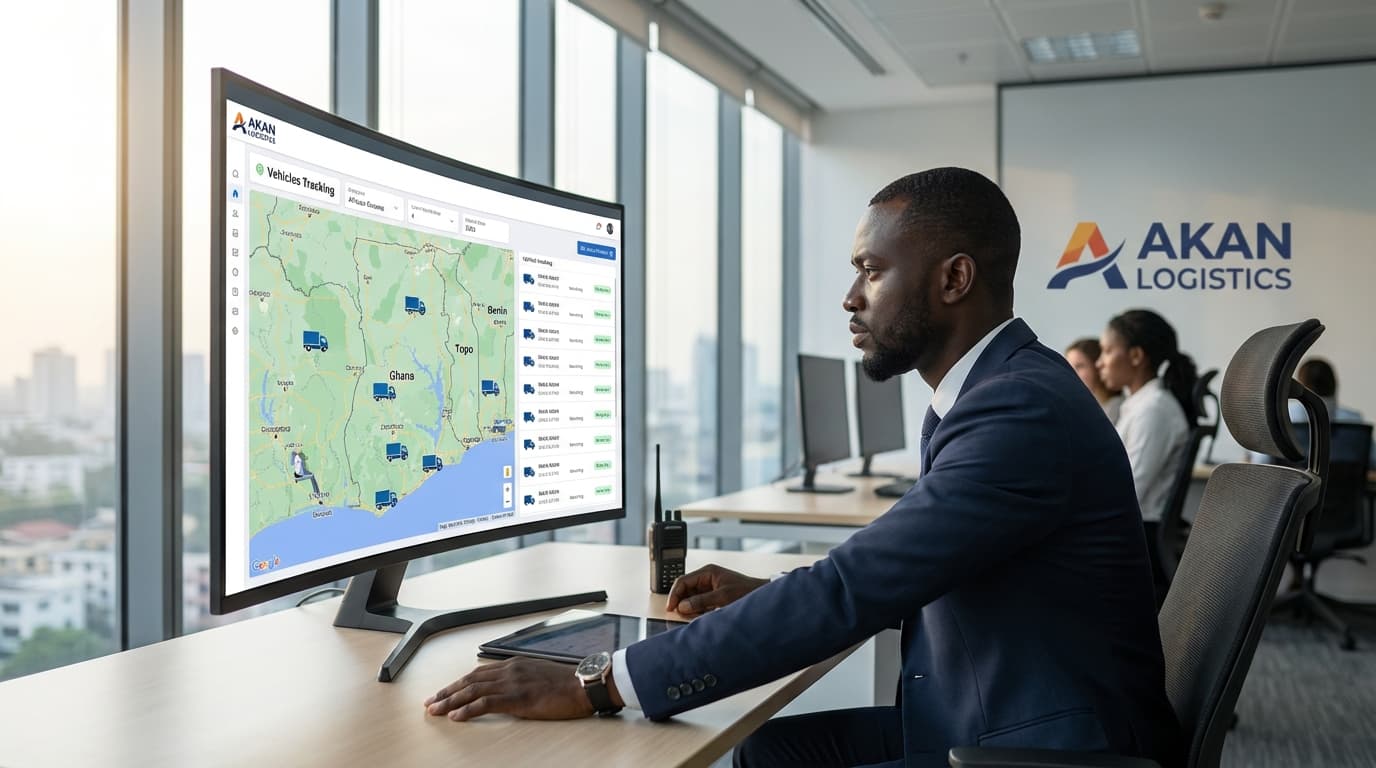
Live Fleet Map
Open the AcesTrack app from any phone and see every vehicle in your Yango fleet on a live map. Which vehicles are on a trip? Which are idle? Where exactly are they parked right now? You get this visibility 24/7.
Full Trip History Replay
For every trip - Yango-dispatched or otherwise - you can replay the route, speed at every point, stops made, and total distance travelled. This is your evidence trail and your audit tool in one.
Geofencing and After-Hours Alerts
Set a geofence around Accra or around specific zones (Airport area, Spintex, East Legon). The moment any vehicle leaves the approved area - at 1am or 4am - you receive an instant WhatsApp or SMS alert. Drivers know the geofence exists. Unauthorized overnight activity stops almost immediately once drivers realize you will be notified.
Speed and Behavior Alerts
Set a maximum speed per vehicle. Every time a driver exceeds it, you are alerted. Weekly behavior reports rank each driver by speed compliance, harsh braking, harsh acceleration, and idling time - giving you objective data for every performance conversation.
Remote Engine Immobilization
If a vehicle is stolen, overdue for return, or being driven to a border area, you can cut the engine remotely from your phone. The vehicle comes to a safe, controlled stop. This single feature has justified the cost of GPS tracking for dozens of AcesTrack fleet customers in Ghana.
Off-Platform Trip Detection
GPS distance data vs. Yango trip data reveals exactly how much driving is happening off the platform. If a vehicle travels 3,000 km in a month but Yango logs only 1,800 km of trips, 1,200 km are unaccounted for. That is your unauthorized use figure - in hard data.
Real Numbers: ROI for a 5-Vehicle Yango Fleet in Accra
Here is a realistic breakdown based on what AcesTrack fleet customers typically see in the first 6 months of GPS tracking:
Before GPS Tracking
| Problem | Monthly Cost (5 vehicles) |
|---|---|
| Unauthorized personal use (fuel + wear) | GH₵4,500 |
| Reckless driving (accelerated maintenance) | GH₵2,000 |
| Fuel waste (idling, speeding, off-platform driving) | GH₵2,500 |
| Total recoverable waste | GH₵9,000/month |
After GPS Tracking (Conservative Estimates)
| Improvement | Monthly Saving |
|---|---|
| Unauthorized use eliminated (80%) | GH₵3,600 |
| Maintenance improvement (50%) | GH₵1,000 |
| Fuel savings (15%) | GH₵375 |
| Total monthly savings | GH₵4,975 |
GPS Tracking Cost (5 vehicles)
- Hardware: One-off GH₵4,995 (GH₵999 per device)
- Monthly subscription: GH₵1,250 (GH₵250 per vehicle)
Net monthly benefit: GH₵3,725 Payback on hardware: Under 6 weeks Year 1 net savings: GH₵44,700 after all costs
That is roughly GH₵8,940 per vehicle per year - from a one-time GH₵999 hardware investment.
What to Look for in a GPS Tracker for Yango Fleets
Not all GPS tracking devices are suitable for ride-sharing fleet management. Here is what matters specifically for Yango fleet owners:
Real-time updates under 30 seconds: You need live tracking, not 5-minute batch updates. A vehicle moving at 80 km/h covers over 2 km in 90 seconds. Delayed data means delayed response.
Remote engine immobilization: Non-negotiable for high-value vehicles. You must be able to disable the engine remotely if a vehicle is stolen or being taken across a border.
Driver behavior reporting: Raw location data is not enough. You need automated weekly reports that rank every driver by behavior metrics - not just where they went, but how they drove.
Geofencing with instant alerts: After-hours boundary alerts via WhatsApp or SMS are the most effective tool for eliminating unauthorized overnight use.
Ghana-wide network coverage: Ensure your tracker uses a local MTN or Vodafone SIM - not a foreign network that drops in Kumasi, Takoradi, or on the Accra-Kumasi motorway.
Local installation and support team: If a tracker needs reinstallation or replacement, you need a Ghana-based team that can reach you. An email support desk in another country is not acceptable for operational fleet management.
Driver Management: Introducing GPS Tracking to Yango Drivers
This is where many fleet owners make avoidable mistakes. Roll it out poorly and you create hostility that undermines your relationship with drivers. Roll it out correctly and most drivers accept it - and some actively prefer the protection it offers.
Be Direct and Transparent
Do not hide the trackers or install them without disclosure. Tell every driver upfront: "I am installing GPS on all my vehicles. It tracks location, speed, and trips. Here is what I will use it for - and here is what I won't."
In Ghana's employment culture, perceived surveillance without transparency damages trust fast. Transparency, even about monitoring, tends to be received much better than discovery after the fact.
Frame It as Protection for Everyone
GPS tracking protects drivers too. If a driver is involved in an accident that was genuinely not their fault - rear-ended on Spintex Road, hit while stationary at a junction in Osu - the trip data provides independent evidence. Frame the conversation around protection for both parties, not just enforcement.
Start with a Data Baseline, Not Penalties
Set a 30-day baseline period where you collect data but hold off on enforcing consequences. Then sit down with each driver, review their score, and give them the chance to self-correct. This approach builds significantly more trust than immediate enforcement and leads to faster behavior change.
Create a Performance Incentive
A monthly fuel bonus of GH₵200-GH₵500 for your top-scoring driver creates healthy competition. You will recover that bonus many times over in fuel savings and reduced maintenance costs. The drivers who consistently top the leaderboard tend to become your most reliable long-term partners.
Address the "I Know My City" Objection
Some experienced drivers will push back: "I've driven in Accra for 8 years, I don't need a tracker telling me how to drive." Acknowledge the experience and redirect: "This isn't about your knowledge of the roads. It's about protecting both of us when something goes wrong. The data is there for disputes - not for micromanaging your every turn."
Fleet Size: When GPS Tracking Makes Sense for Yango Operators
| Fleet Size | Monthly GPS Cost | Monthly Savings Potential | Verdict |
|---|---|---|---|
| 1-2 vehicles | GH₵250-500 | GH₵700-1,800 | Yes - theft risk alone justifies it |
| 3-5 vehicles | GH₵750-1,250 | GH₵2,100-5,000 | Strongly yes |
| 6-10 vehicles | GH₵1,500-2,500 | GH₵4,200-9,000 | Essential |
| 10+ vehicles | GH₵2,500+ | GH₵9,000+ | Critical - no other tool delivers this ROI |
Even single-vehicle Yango fleet owners - an owner who employs one driver and owns one car - find GPS tracking worth it. The theft prevention and unauthorized use protection pay for the subscription within the first month in most cases.
Common Questions from Yango Fleet Owners
Can my driver disable the tracker?
AcesTrack trackers are installed in concealed locations with backup battery power. Any tampering attempt triggers an alert. Drivers generally cannot disable the device without specialized knowledge - and the attempt itself notifies you immediately.
Will the GPS tracker interfere with the Yango driver app?
No. AcesTrack hardware operates independently of the driver's phone and the Yango app. The tracker is installed in the vehicle, not connected to any app on the driver's device.
What happens in areas with poor network coverage?
Location data is stored locally on the device and synced automatically when network coverage returns. You will see complete trip history even for routes through areas with intermittent coverage.
Can I use GPS tracking as evidence in an insurance claim?
Yes. AcesTrack trip data - including location, speed, and impact event records - has been used successfully in insurance claims in Ghana as independent evidence of vehicle location and conditions at the time of an incident.
Do I need to tell Yango I have trackers installed?
GPS tracking is installed by the vehicle owner, not the platform. There is no Yango requirement preventing fleet owners from tracking their own vehicles. Tracking is standard practice for fleet operators across all ride-hailing platforms in Ghana.
Protect Your Yango Fleet Before the Next Problem Finds You
GPS tracking for Yango fleet owners in Ghana pays for itself within the first 6 weeks. The savings from unauthorized use prevention, fuel efficiency, and maintenance reduction far exceed the cost - and none of that accounts for the vehicle you never lose to theft or a cross-border disappearance.
The Yango market in Accra, Kumasi, and Takoradi is competitive. Fleet owners who run tight, well-maintained operations with low per-vehicle costs will outlast those who manage by instinct and receipts.
GPS tracking is how you move from instinct to data.
Explore our Taxi & Ride-Sharing GPS Tracking page for full feature details and plan pricing, or book a free consultation to get a custom quote for your Yango fleet size.